The new AtletIQ is out with a rebuilt workout screen, program catalog and profile
AtletIQ for iPhone has been fully rebuilt. Version 3.1 brings a new workout screen, a new program catalog, a coach in chat and a profile that shows your maxes, titles and workout feed. If you trained with AtletIQ before, your workout history, maxes and programs are still in your account.
Pick your coach
Six AtletIQ characters, each with a different personality. Your coach reviews your workouts, marks records and names the weight for the next one.
The video failed to load. Refresh the page.
How the screens have changed
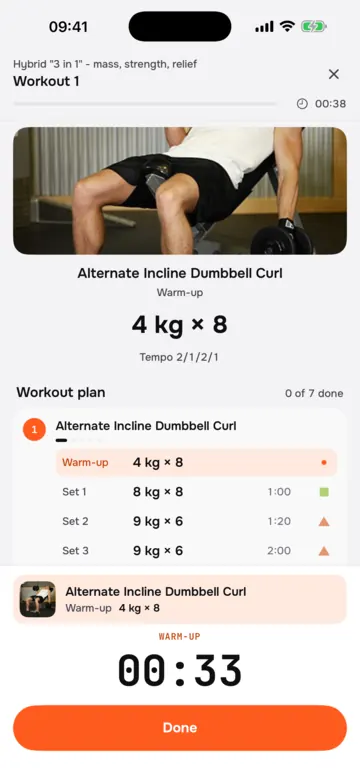
Workout
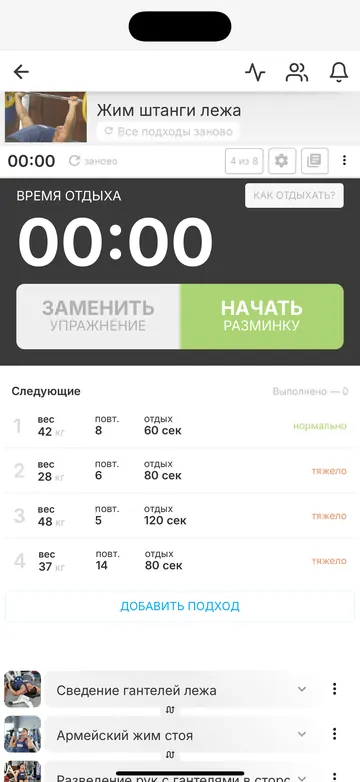
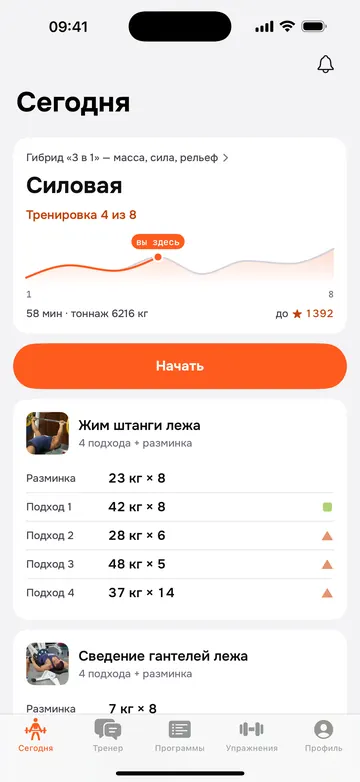
Exercises, sets, reps and rest follow your program set by set. The rest timer alerts you when it is time for the next set, and with Ultra every set shows a working weight.
Program catalog
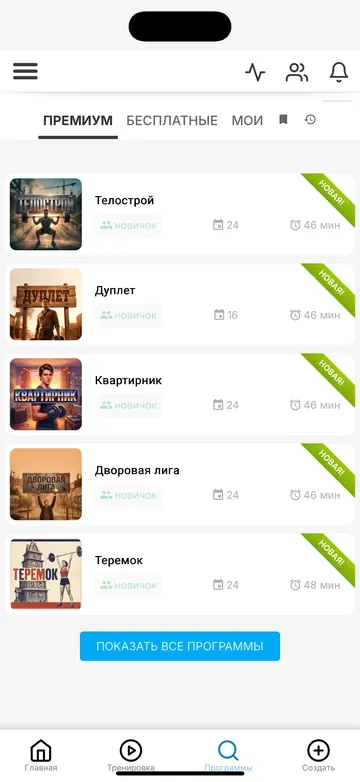
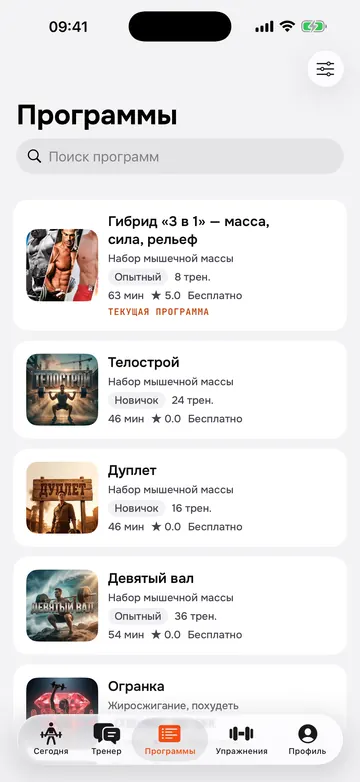
Pick a program by goal, level and place to train: the gym or home. Each program runs for 4 or 8 weeks.
Profile and maxes
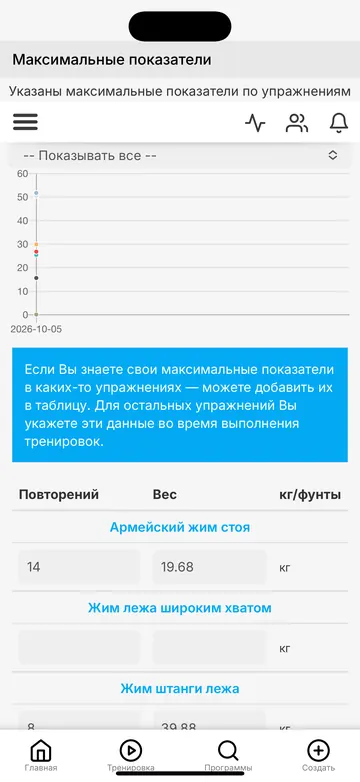
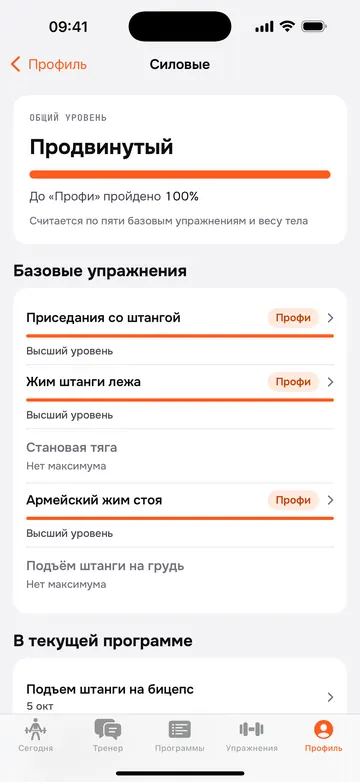
Your profile shows your maxes in kilograms and how they grow, a title based on your workout count, and your streak of training weeks in a row.
History and feed
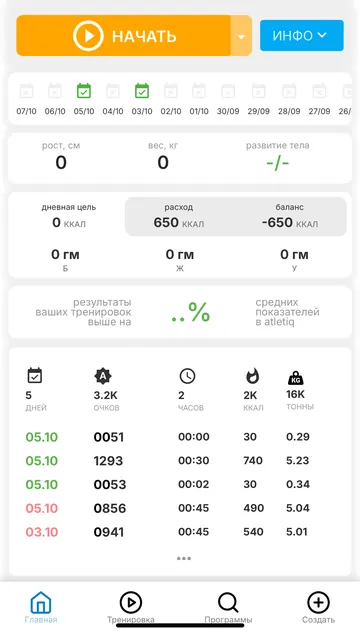
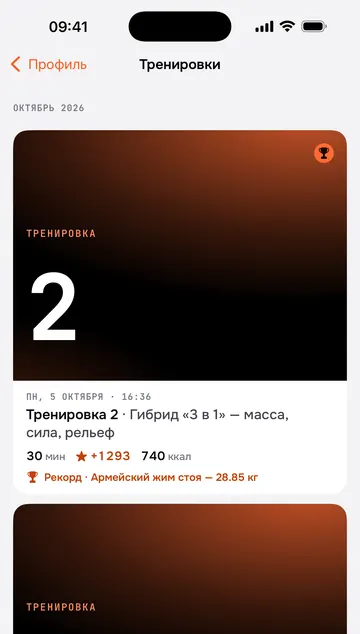
The feed shows past workouts with photos, duration and personal records. You can share a workout as a poster in a story or a post.
Coach in chat
In the Coach tab you can ask about technique and progress, or ask for a workout built for you. The coach sees your workout history, maxes, profile and current program, and remembers your goals, injuries and equipment from the conversation.
You can save a workout from the coach to your workouts or start it right from the chat. Your program pauses for that session, and you return to it afterwards.
The coach is not a doctor: for pain or injury, see a specialist first.
More on iPhone
- Apple Health: workouts and body weight are saved to the Health app.
- Live Activity and Dynamic Island: the current set and rest countdown on your Lock Screen.
- Home Screen and Lock Screen widgets: your next workout and progress for the week.
- Siri and Control Center: start a workout with one command.
- Apple Watch: sets, rest and heart rate on your wrist. Start a workout from your watch without your iPhone nearby, and the results move to your phone once it is back in range.
- Inbox under the bell: weekly summaries, reminders and tips on connecting Health, widgets, Siri and your watch.
How the programs work
A program has one or two 4-week stages. The first week is an easy introduction. After that the load changes from week to week according to the plan and rises in waves. Programs that close a cycle end with a lighter week.
Sets stop 1–3 reps short of failure. Volume, training frequency and rest between sets follow the recommendations of systematic reviews.
With Ultra, the app calculates a working weight for every set from your maxes and raises it from workout to workout as the program sets out.
What carries over
Your workout history with weights and tonnage, your maxes and your programs are stored in your account and move to the new app. If the app asks you to sign in, use the same email as before. You can reset your password on the website: atletiq.com/account/reset-password.
Where to download
AtletIQ 3.1 is available on the App Store and Google Play. The iPhone app needs iOS 17 or later, the Android app needs Android 8 or later; Android 6 and 7 stay on the previous version.