Squats — With Bands
- Primary musclesQuads
- EquipmentBarbell, Bands
- LevelBeginner
- ForcePush
AtletIQ — a workout log: working weight, sets and reps for your goal and level.
Calculate your weight in the app-
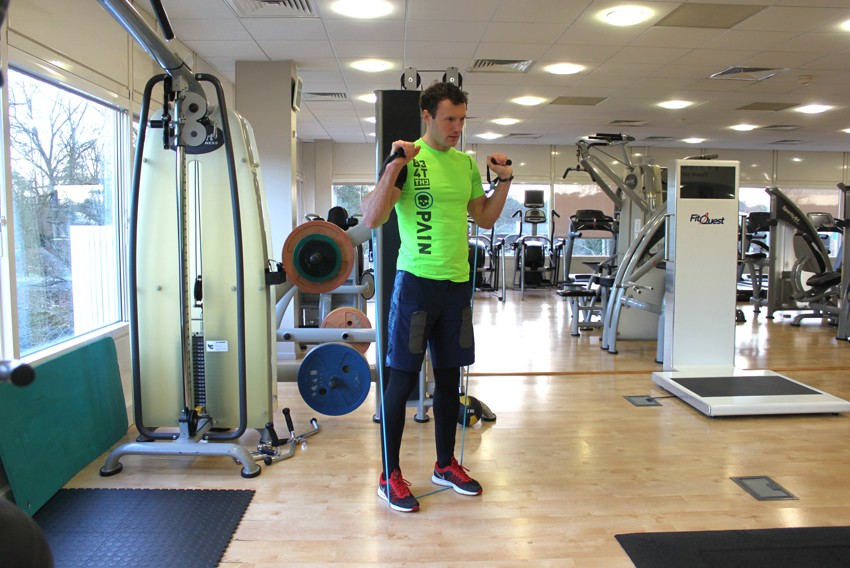 01Starting position
 -
 02Final position
Muscles worked
Primary muscles
Secondary muscles
What weight to use
Set your goal and fitness level — the AtletIQ app calculates the working weight and number of reps for "Squats — With Bands".
- Working weight for your goal and fitness level
- Sets, reps and rest in your workout log
- Progress for every exercise
| Workout | Weight | Sets × reps |
|---|---|---|
| 1 | 35.5 kg | 3 × 10 |
| 2 | 40 kg | 3 × 8 |
| 3 | 33 kg | 4 × 12 |
How to do it
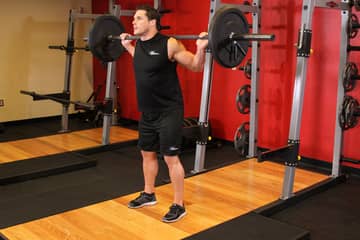
5 stepsTo start out, make sure that the exercise band is at an even split between both the left and right side of the body. To do this, use your hands to grab both sides of the band and place both feet in the middle of the band. Your feet should be shoulder width apart from each other.
When holding the bands, they should be the same height on each side. You should be using a pronated grip (palms facing forward) and have the handles of the bands next to your face for this exercise. This is the starting position.
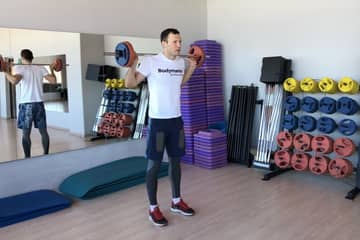
Slowly start to bend the knees and lower the legs so that your thighs are parallel to the floor while exhaling.
Use the heel of your feet to push your body up to the starting position as you exhale.
Repeat for the recommended amount of repetitions.
Similar exercises
All Quads exercises · 86


AtletIQ app
A workout log with working weight calculation: program, sets and progress on your phone.