Push-Up to Side Plank
- Primary musclesChest
- EquipmentBody Only
- LevelBeginner
AtletIQ — a workout log: working weight, sets and reps for your goal and level.
Add it to a workout in the app-
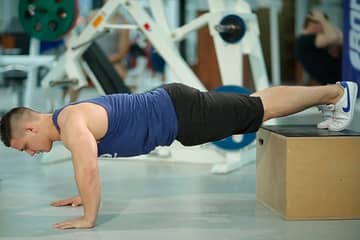
 01Starting position
-
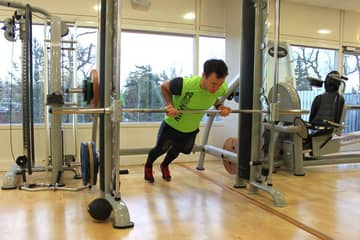
 02Final position
-
 01Starting position
-
 02Final position

Track it in your workout log
Add "Push-Up to Side Plank" to a workout in the AtletIQ app: sets, reps and time are saved to your log.
- Sets, reps and time in your workout log
- Workout programs for your goal and level
- Progress for every exercise
How to do it
5 stepsStart in a push-up position with your hands about shoulder-width apart and your body in a straight line.
Do one push-up, keeping your back flat and your hips in line with your shoulders.
At the top, shift your weight onto your left hand, rotate your body to the left side and reach your right arm toward the ceiling.
Hold the side plank for a moment with your hips lifted, then bring the hand back to the floor.
Do another push-up and rotate to the other side. Keep alternating sides for the planned reps, at least 10 in total.
If the side plank feels unstable, stagger your feet instead of stacking them.
Rotate the whole body as one unit. Do not let your hips drop as you turn.
Similar exercises
All Chest exercises · 60



AtletIQ app
A workout log with working weight calculation: program, sets and progress on your phone.