Cross Over — With Bands
- Primary musclesChest
- EquipmentBands
- LevelBeginner
- ForcePull
AtletIQ — a workout log: working weight, sets and reps for your goal and level.
Add it to a workout in the app-
 01Starting position
 -
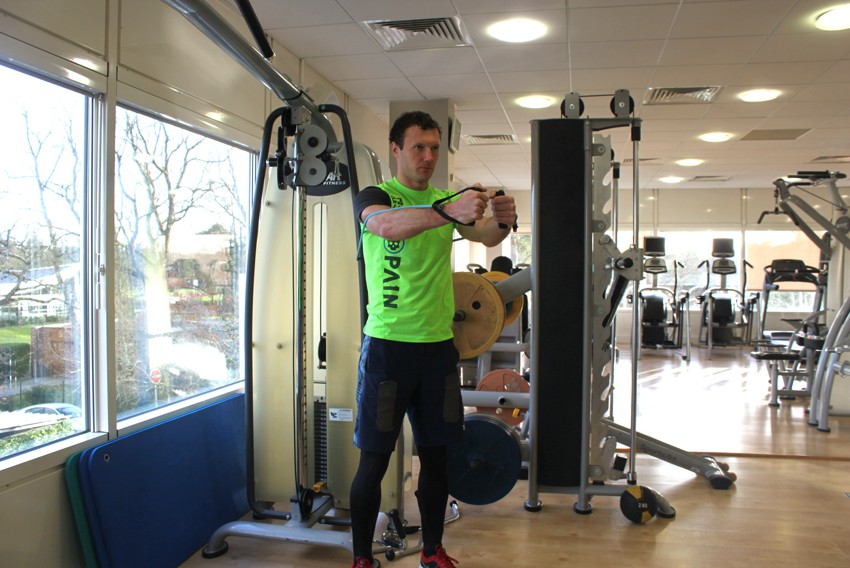 02Final position

Track it in your workout log
Add "Cross Over — With Bands" to a workout in the AtletIQ app: sets, reps and time are saved to your log.
- Sets, reps and time in your workout log
- Workout programs for your goal and level
- Progress for every exercise
How to do it
6 stepsSecure an exercise band around a stationary post.
While facing away from the post, grab the handles on both ends of the band and step forward enough to create tension on the band.
Raise your arms to the sides, parallel to the floor, perpendicular to your torso (your torso and the arms should resemble the letter "T") and with the palms facing forward. Have them extended with a slight bend at the elbows. This will be your starting position.
While keeping your arms straight, bring them across your chest in a semicircular motion to the front as you exhale and flex your pecs. Hold the contraction for a second.
Slowly return to the starting position as you inhale.
Perform for the recommended amount of repetitions.
Variations: This exercise can also be performed using pulleys.
Similar exercises
All Chest exercises · 60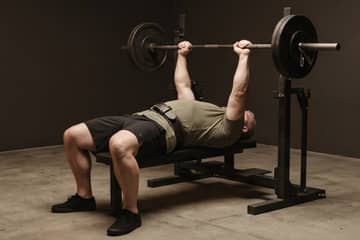



AtletIQ app
A workout log with working weight calculation: program, sets and progress on your phone.