Leg Extensions
- Primary musclesQuads
- EquipmentMachine
- LevelBeginner
- ForcePush
AtletIQ — a workout log: working weight, sets and reps for your goal and level.
Calculate your weight in the app-
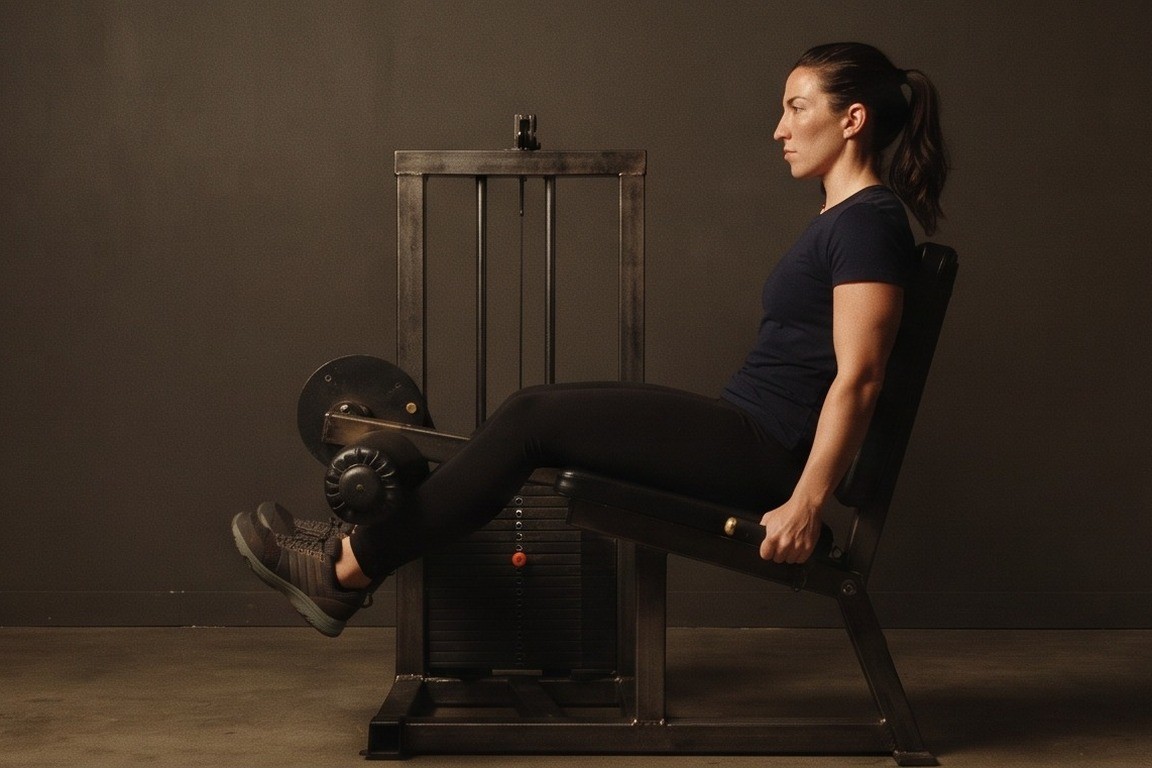 01Starting position
 -
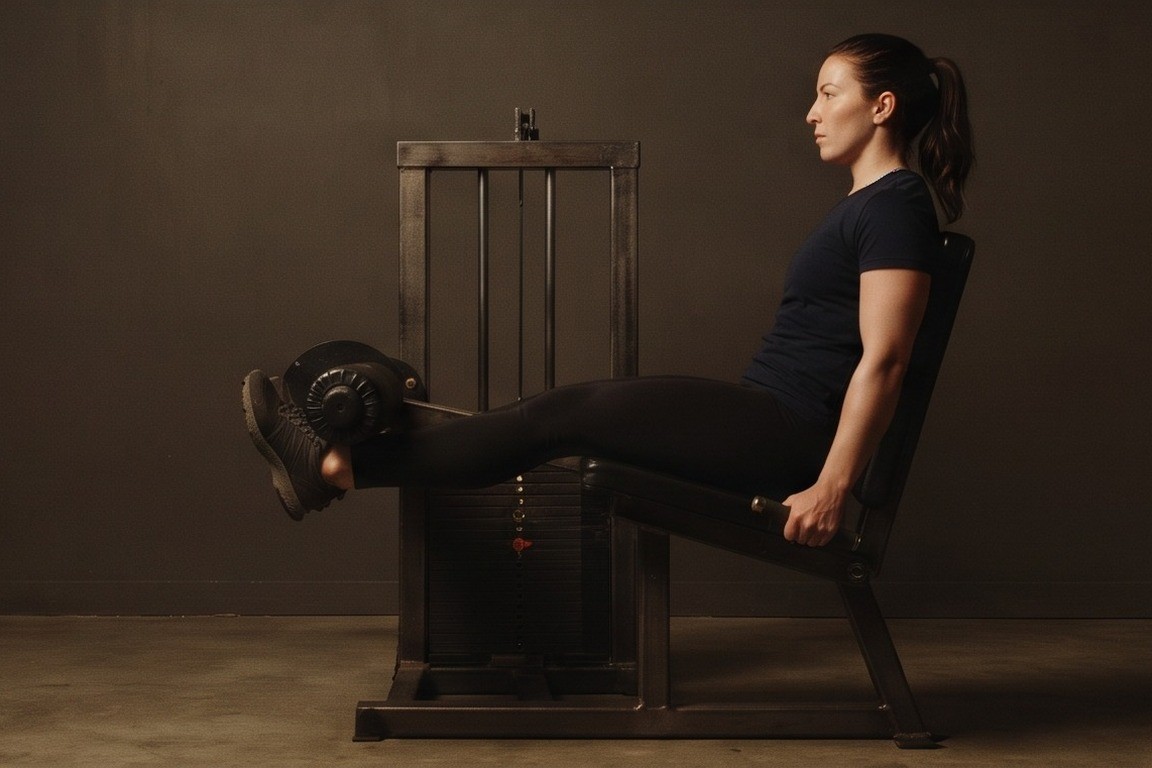 02Final position

Muscles worked
Primary muscles
What weight to use
Set your goal and fitness level — the AtletIQ app calculates the working weight and number of reps for "Leg Extensions".
- Working weight for your goal and fitness level
- Sets, reps and rest in your workout log
- Progress for every exercise
| Workout | Weight | Sets × reps |
|---|---|---|
| 1 | 35.5 kg | 3 × 10 |
| 2 | 40 kg | 3 × 8 |
| 3 | 33 kg | 4 × 12 |
How to do it
5 stepsAdjust the seat so your knees line up with the machine's pivot and the pad rests just above your ankles. Sit back against the pad and hold the side handles.
Set your shins at about a right angle to your thighs at the bottom, with your feet pointing forward.
Exhale and extend your legs until they are nearly straight, focusing on the front of your thighs. Keep your hips and back pressed into the seat.
Hold the top position for about a second while the quads stay tight.
Inhale and lower the weight slowly back to the start, without letting the stack crash down. Repeat for the planned reps.
Kicking the weight up with momentum or lifting your hips off the seat means the load is too heavy. Reduce it and slow the lowering phase.
Work one leg at a time to even out strength differences between sides, or change foot angle slightly to shift the emphasis.
Similar exercises
All Quads exercises · 86

AtletIQ app
A workout log with working weight calculation: program, sets and progress on your phone.